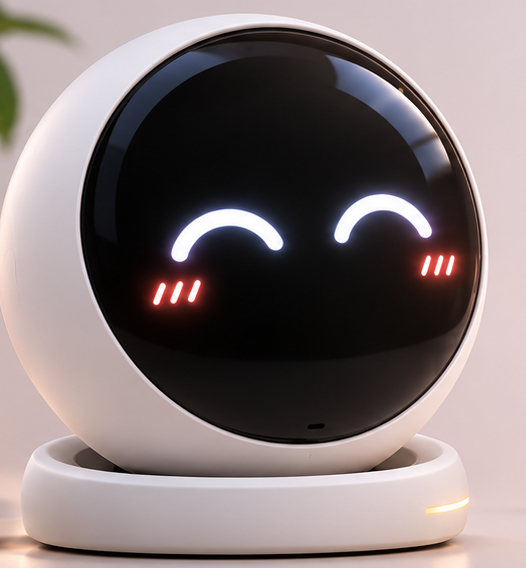
01In the box
- Sprout × 1Your companion.
- USB-C cable × 11.5 m, braided.
- Quick start card × 1Three steps.
A 5 V / 2 A adapter is not included.
02At a glance
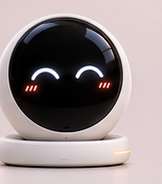
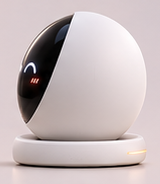
- ① Display
- Eyes and expressions.
- ② Halo ring
- Ambient light ring.
- ③ Gimbal neck
- Pan ±90°, tilt ±25°.
- ④ Touch surface
- The whole top dome.
- ⑤ USB-C port
- 5 V / 2 A.
03First setup
-
Charge it first
Plug in — about 2 hours.
-
Power on
Hold the dome for 3 seconds.
-
Pair with the app
Hold 3 seconds; halo turns blue.
-
Let it learn your desk
A quiet 24-hour calibration.
04Gestures
| Gesture | What it does |
|---|---|
| Single tap | Acknowledge. |
| Double tap | Focus session. |
| Long press 3 s | Pairing / power. |
| Stroke the dome | Petting. |
| Turn by hand | Manual aim. |
05Light & screen states
| State | Halo | Meaning |
|---|---|---|
| Idle | slow white breath | Awake, nothing needs you. |
| Listening | soft blue pulse | Mic is open. |
| Pairing | fast cyan blink | Discoverable for 2 min. |
| Charging | amber rising | Charging. |
| Message | two green blinks | Not urgent. |
| Warning | red double pulse | Thermal / battery / link. |
06Companion app
The app is where the quiet parts live.
- Dashboard24-hour history.
- FocusSession length and breaks.
- ExpressionsToggle and add packs.
- ScheduleCalendar mirroring.
- FirmwareOTA over Wi-Fi.
07Charging & battery
6–10 hours per charge.
- Use the supplied cable.
- Amber while charging.
- Below 10% it sleeps.
- Store at ~60%.
08Care & safety
Keep it dry. Not water resistant.
Do not open the shell. No user-serviceable parts.
Let it breathe. 3 cm clearance.
Dry microfibre only. No solvents.
Operating range 0–40 °C.
Not a toy Keep away from children under 3.
09Troubleshooting
| Symptom | Try this |
|---|---|
| Will not power on | Charge 20 min, hold 6 s. |
| Screen frozen | Hold 10 s to restart. |
| App cannot find it | Within 2 m, re-pair. |
| Battery drains overnight | Enable Night mode. |
| Gimbal feels loose | Restart; then contact support. |
| No chime | Check volume and DND. |
10Specifications
| Dimensions | Ø101 × H63 mm |
|---|---|
| Weight | ≈ 230 g |
| Display | 2.1″ circular LCD |
| Motion | Pan ±90°, tilt ±25° |
| Battery | 6–10 h · 30 d standby |
| Charging | USB-C, 5 V / 2 A |
| Wireless | Wi-Fi 2.4 GHz, BT 5.0 |
| Sensors | Mic, light, touch |
| Materials | Matte polycarbonate |
| Operating range | 0–40 °C |
11Compliance & warranty
CE / UKCA / RoHS / FCC Part 15 (Class B).
12-month limited warranty
Manufacturing defects only.
Support · hello@lantinwan.com · lantinwan.com